What is workflow automation?
Workflow automation uses technology to take care of repetitive tasks automatically and streamline business processes. It involves creating a series of automated actions that execute specific steps in a workflow without manual intervention, resulting in reduced human error and increased efficiency.
A workflow is a sequence of tasks or activities that needs to be completed to achieve a specific business goal. Workflows can range from simple approval processes to complex multi-step operations that involve multiple departments. By automating these workflows, organizations can:
- Reduce manual labor and human error
- Increase process speed and efficiency
- Improve consistency and standardization
- Enhance transparency and accountability
- Free up employees to focus on higher-value tasks
- Make sure that tasks are completed in the correct order, by the right people, and within the specified timeframes.
How does workflow automation work?
Workflow automation operates by digitizing and streamlining business processes. The journey begins with process mapping, where the steps in a workflow are identified and mapped out, including tasks, decision points, and responsible parties. This is followed by workflow design, which involves creating a digital representation of the workflow using a workflow management system or automation tool.
The next essential step is trigger definition, where you specify what initiates the workflow. This could be a form submission, a specific date, or a system event. Once the trigger is set, task assignment is configured to automatically direct tasks to relevant team members or roles. Automated actions are then set up for repetitive or rule-based tasks, such as sending notifications or updating databases. Conditions logic implements the handling of different scenarios in the workflow, incorporating decision points and branching logic.
Integration is another key aspect, connecting the workflow with other business systems and tools to ensure seamless data flow. Monitoring and reporting mechanisms keep track of progress and performance. Finally, the process of optimization involves analyzing workflow data and making improvements based on new insights.
By following this approach, organizations can create reusable workflows that automatically manage complex processes, reducing manual intervention and improving overall efficiency.
What are the benefits of workflow automation for businesses?
Implementing workflow automation can bring numerous advantages to organizations of all sizes, such as adapting to changing business needs and scaling as the organization grows. Other key benefits include higher efficiency, increased visibility, improved customer experience, and data-driven decision-making.
- Increased efficiency and accuracy: Automated workflows eliminate manual, time-consuming tasks. Employees get more time to focus on high-value activities that require human expertise. And, by minimizing human intervention, workflow automation improves resource allocation and reduces the risk of errors associated with manual data entry and task execution.
- Improved visibility and standardization: Workflow automation tools provide real-time tracking and reporting, offering greater transparency into process performance and individual responsibilities. Automated processes also make it easier to adhere consistently to established procedures and regulatory requirements, reducing compliance risks.
- Enhanced customer experiences: Automated workflows execute tasks rapidly, reducing delays and accelerating overall process completion times. These lead to faster response times and more consistent service delivery, enhancing customer satisfaction.
- Data-driven decision-making: Workflow automation software captures valuable process data, enabling businesses to make informed decisions based on real-time insights. And, by clearly defining roles and responsibilities in workflows, automation fosters better teamwork and communication across departments.
Workflow automation examples and use cases
Automated workflows can be applied across various industries and business functions to streamline operations and improve efficiency. Here are some examples.
| Business function | Workflow automation examples |
|---|---|
|
IT workflow automation |
|
|
HR workflow automation |
|
|
Healthcare workflow automation |
|
|
Legal workflow automation |
|
|
CRM workflow automation |
|
|
Education workflow automation |
|
|
Sales workflow automation |
|
|
Government workflow automation |
|
|
Accounting workflow automation |
|
Low-code workflow automation
Low-code development platforms have revolutionized the way businesses approach workflow automation. By combining the power of low-code with workflow automation, organizations can:
- Rapidly develop and deploy automated workflows
- Easily customize workflows to meet specific business needs
- Empower business users to create and modify workflows
- Integrate workflows seamlessly with existing systems
- Adapt quickly to changing business requirements
Low-code workflow automation offers a visual approach to creating complex workflows without extensive coding knowledge. This democratizes the process of workflow creation and management, allowing business users to participate actively in process improvement initiatives.
The OutSystems low-code platform specifically stands out as a comprehensive workflow automation solution, offering:
- Simplified, point-and-click interface for workflow design
- Pre-built connectors for easier integration with existing systems
- Robust security features for enterprise-grade applications
- Scalability to handle complex, high-volume workflows
- AI-powered agents for increased automation and response immediacy
With OutSystems, businesses can accelerate their digital transformation initiatives and achieve greater agility in their workflow management processes.
Unlock new levels of efficiency with OutSystems Workflows
OutSystems Workflows combines the power of low-code development with advanced workflow automation capabilities, enabling organizations to streamline their processes and boost overall efficiency.
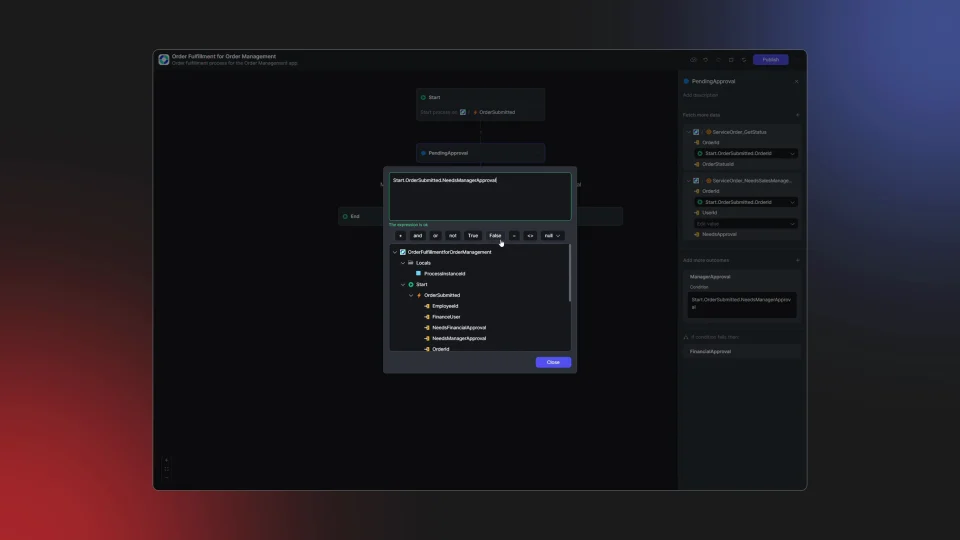
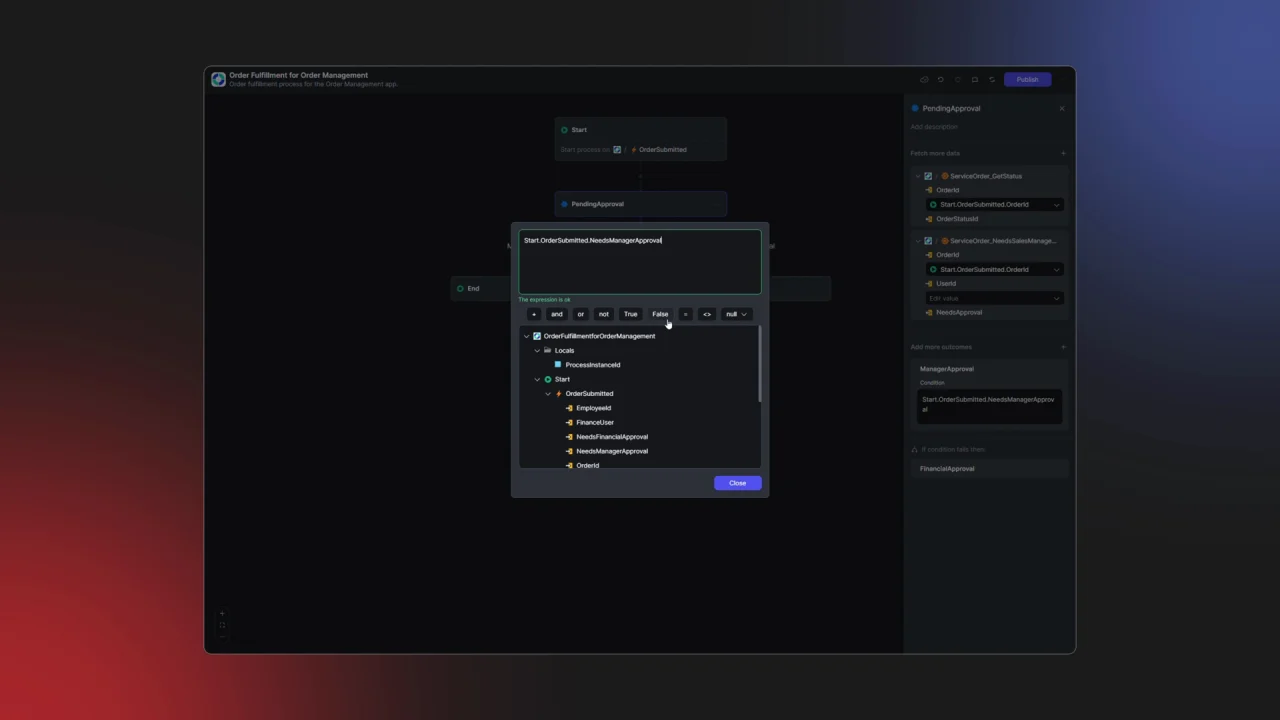
Here are some of the features that enable OutSystems to transform your workflow management.
- User-friendly process modeling: Designed for both business users and professional developers, OutSystems Workflows offers intuitive process modeling tools with a web-based approach that eliminates the need for users to jump into an integrated development environment (IDE).
- Event-driven architecture: Built on a state-of-the-art event-driven architecture, OutSystems Workflows ensures that processes are responsive, scalable, and easy to manage. This architecture is pivotal for automating workflows triggered by specific events, ensuring seamless operation and integration.
- Extensive customization options: Unlike many competitor tools that offer limited customization, with OutSystems Workflows, developers and designers can create pixel-perfect, fully branded user interfaces that enhance the end-user experience. This ensures that workflow-based apps do not suffer from the sluggish look typical of form-reliant automation tools.
- Seamless integration capabilities: Streamlined integration with external databases and systems supports connected and data-driven workflows. This OutSystems Workflows integration capability supports the correlation of processes and business data, creating a unified view and enhancing compliance and data integrity.
By choosing OutSystems for your workflow automation needs, you can easily weave what you build into your application development processes, accelerating your digital transformation journey and achieving unprecedented levels of operational efficiency.
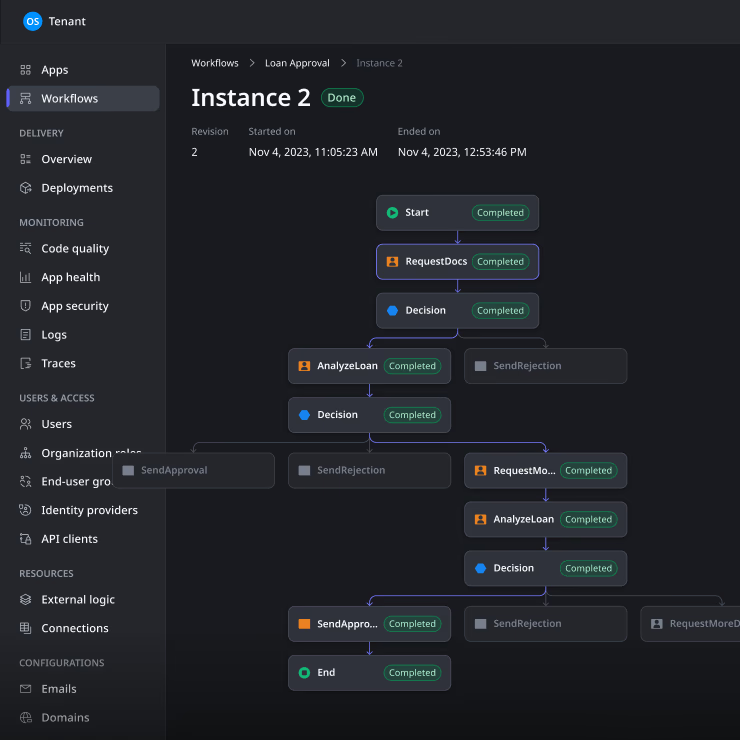

Workflow automation frequently asked questions
A workflow management system is a software platform that helps organizations define, execute, monitor, and optimize business processes. It typically includes tools for designing workflows, assigning tasks, tracking progress, and analyzing performance metrics to improve overall efficiency.
Workflow automation is helping businesses by streamlining operations, reducing manual errors, increasing productivity, improving compliance, enhancing customer satisfaction, and providing valuable insights for data-driven decision-making. It allows companies to optimize their processes and focus on high-value activities.
While both target improved efficiency, robotic process automation (RPA) focuses on mimicking human actions to perform specific tasks, often working with existing user interfaces. Workflow automation, on the other hand, orchestrates entire business processes, involving multiple steps, systems, and people to streamline end-to-end workflows.
The three main types of workflows are:
- Process workflows: Predictable, repeatable sequences of tasks.
- Case workflows: Flexible processes that adapt based on incoming information or changing circumstances.
- Project workflows: Complex, often unique sequences of tasks with defined start and end points.
Automated workflows are typically set up by:
- Mapping out the process steps
- Designing the workflow using automation software
- Defining triggers and conditions
- Assigning tasks and roles
- Integrating with necessary systems
- Testing and refining the workflow
- Deploying and monitoring performance
While often used interchangeably, workflow automation typically refers to the automation of sequences of tasks within a specific business process. Process automation is a broader term that can encompass multiple workflows and may involve more complex, end-to-end business operations.
AI workflow automation combines artificial intelligence with traditional workflow automation to create more intelligent, adaptive processes. It can include features like natural language processing, machine learning for decision-making, predictive analytics, and automated optimization of workflows based on performance data.