Explanation of cloud application development
Cloud application development refers to the process of designing, building, testing, and deploying applications that run in a cloud computing environment. Cloud computing is a model of delivering information technology (IT) services over the internet. In this model, computing resources, such as servers, storage, and software applications, are made available on demand to users from a shared pool of resources or supplied as managed services from a cloud provider.
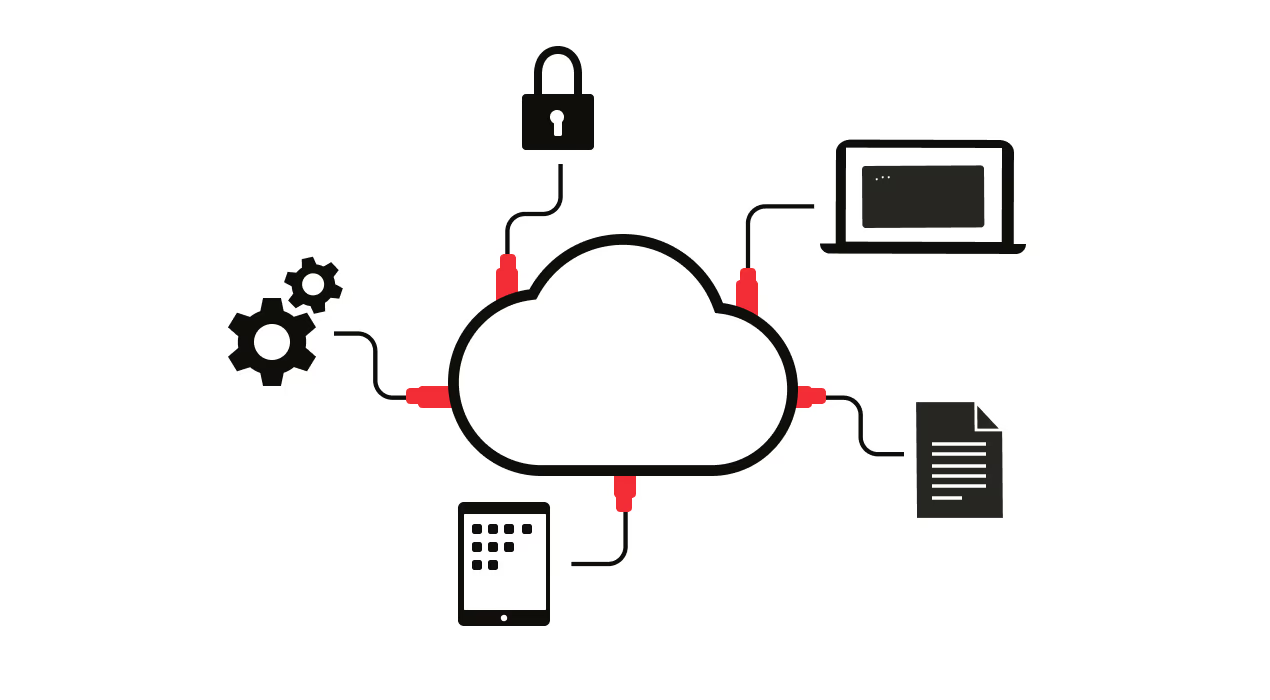
Cloud application development involves creating software that can be accessed from anywhere and on any device. This includes web applications, mobile apps, and software that runs on cloud-based servers. The development of cloud-based applications requires a different set of skills and tools compared to traditional software development.
Read more about app development in our comprehensive guide
Benefits of developing in the cloud
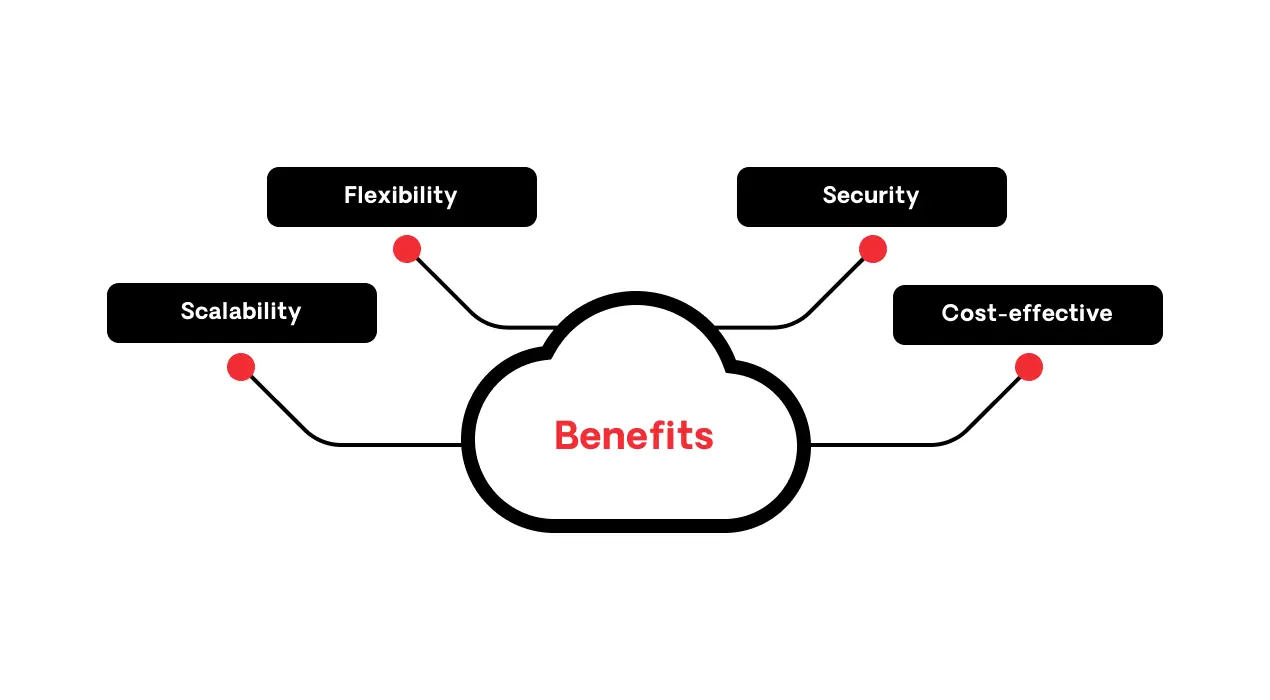
Cloud application development has revolutionized the way developers work. With the power of the cloud, developers can access resources, application programming interfaces (APIs) for integration, and application components from anywhere in the world to build. This means that distributed teams of cloud application developers can collaborate, test code, and deploy applications in real time that meet the needs of businesses and consumers alike– without worrying about hardware limitations. Here are the other main benefits of cloud application development.
Scalability
One of the most significant benefits of cloud application development for developers is scalability. With the ability to scale up or down, your developers can ensure that their applications are always performing at their optimal level. This is particularly useful for applications with varying traffic levels or seasonal spikes in activity.
See the differences between cloud scalability and elastcity
Flexibility
Another major advantage of application development for the cloud is flexibility. Your developers can choose the platform that best fits their needs, whether it be Infrastructure as a Service (IaaS), Platform as a Service (PaaS), or Software as a Service (SaaS). Additionally, cloud applications offer the ability to easily switch between platforms as needed without having to worry about the significant costs associated with traditional on-premise infrastructure.
Security
Cloud applications provide developers with a high level of security. With built-in security protocols, developers can rest assured that their applications and data are protected from external threats. This is especially important for applications that deal with sensitive customer data, financial information, or other confidential information.
Discover how to ensure cloud-native security
Cost-effectiveness
Cloud applications are more cost-effective. With no need for significant upfront investments in hardware and infrastructure, developers can reduce their costs and allocate their resources towards other development activities. Additionally, cloud applications offer flexible pricing models, so developers only have to pay for what they use.
What are the cloud deployment models?
After your organization decides to move to the cloud, one of the first decisions to make is which deployment model is better for its business needs.
There are 5 models to choose from:
- Public
- Private
- Hybrid
- Multi-cloud
- Community

1. Public cloud
In a public cloud, your data is stored on a third-party server, and everything from the server infrastructure and resources is managed by the cloud provider. This way, you don’t have to worry about buying and maintaining hardware.
Examples of popular public clouds include Amazon Elastic Compute Cloud (also known as Amazon EC2), Microsoft Azure, Google Cloud, and IBM Cloud.
Public cloud advantages vs. disadvantages
| Advantages | Disadvantages |
|---|---|
|
Minimal investment: Get started with a subscription, not a major capital expenditure. |
Lack of control: Configurations, server failures, and access to some applications are beyond your purview. |
2. Private cloud
In a private cloud, the cloud infrastructure is exclusively operated and accessed by a single organization, either externally or on-premises. It’s protected by strong firewalls, and the organization’s IT department is the gatekeeper.
Examples of private cloud providers include Amazon, IBM, Cisco, Dell, and Red Hat.
Private cloud advantages vs. disadvantages
| Advantages | Disadvantages |
|---|---|
|
Privacy and security: All data is kept in a private repository, minimizing the data security risks. |
Cost: You need to invest in hardware, software, and staff (or a dedicated managed service provider) to develop and maintain your private cloud. |
3. Hybrid cloud
A hybrid cloud combines the functionality of a public and private cloud (and even on premises). With this model, an organization can host its most critical data in a private cloud, for example, and less sensitive data in a public one, benefiting from the public cloud’s cost savings and the security of a private cloud.
Hybrid cloud advantages vs. disadvantages
| Advantages | Disadvantages |
|---|---|
|
Disaster recovery: If your private cloud fails, you can activate your entire environment in the public cloud. |
Complexity: Setting up a hybrid cloud is complex because you are integrating two or more cloud architectures and possibly on-premises data storage. |
4. Multi-cloud
Multi-cloud is similar to hybrid cloud. Instead of mixing private and public, however, it’s about using multiple public cloud providers to diversify available functionalities.
Multi-cloud advantages vs. disadvantages
| Advantages | Disadvantages |
|---|---|
|
Service availability: The chances of multiple providers suffering an outage or downtime are reduced. |
Management overload: Monitoring multiple environments complicates operations like backing up data, accessing resources, and operating systems. |
5. Community cloud
In a community cloud, a group of different organizations can access the available resources. Members of this “community” typically share similar security, privacy, performance, and compliance requirements.
Community cloud is in the middle between public and private cloud because it’s not open to the general public, but it’s also not exclusive to just one company. It can be managed internally or by a third-party.
Community cloud advantages vs. disadvantages
| Advantages | Disadvantages |
|---|---|
|
Cost-effective: The cost and resources are shared by several organizations. |
Security: Data is shared between every organization in the “community,” so companies need to be careful about the data they’re sharing. |
Choosing the right platform for cloud application development?
When choosing the right cloud platform for your application, there are several factors that you should consider to ensure that your decision meets your needs both today and in the future:
- Cost and quality are primary factors to consider. Not only must the platform you select meet your budgetary requirements, but it also must not compromise the quality of your applications or sacrifice important features.
- Performance and scalability are critical factors that you should consider. It is essential to select a platform that can easily grow and meet the requirements of your application as it scales while also accommodating more resources, traffic, and users without compromising performance. Look for a cloud development platform that can scale automatically or has a simple process to increase resources.
- Protection and security are also a critical consideration when selecting a cloud application development platform. Losing your data or being hacked can cause significant damage to your organization or business. Look for a platform with security features such as end-to-end encryption, multi factor authentication, and regular data backups.
With these considerations in mind, you can select the right cloud application development platform for your application–one that ensures that your business operations run smoothly and efficiently.
Steps for successful cloud application development process
Developing a successful cloud application requires experience and careful planning. The following steps can guide you in crafting an effective cloud application that meets the needs of your target audience:
1. Idea generation and market research
The initial step is to brainstorm and generate cloud application ideas that can captivate your target market. Once you have potential application concepts, conduct market research to identify the viability of your idea. During this phase, you can evaluate the market size, potential customer base, competition, and user needs. Researching market trends and interacting with potential users can inform and refine your ideas, aligning them with market demands to increase the chances of success.
2. Design and planning phase
The design and planning stage is critical for developing a cloud application that runs seamlessly and meets user needs when launched. This process involves fleshing out ideas into detailed specifications, creating wireframes and user journeys, mapping out the app's user interface, and considering the required features. During this phase, consider how to ensure the application’s scalability, security, and accessibility requirements align with your vision and meet the target market's needs.
3. Development and testing
The development phase involves using the specifications and designs to turn the idea into a working application. Experienced developers use the right programming languages, software development kits, and tools. They also test for quality assurance, to find any errors that may cause issues, and to identify and fix bugs before the application is launched in the market.
Creating a cloud application requires dedication and commitment to delivering a product that satisfies users' needs. By following these steps, businesses can design and develop effective cloud applications that offer optimal performance and memorable user experiences.
Using DevOps for efficient and continuous deployment
DevOps methods have become the accepted standard for creating efficient and seamless software development pipelines. DevOps is essentially a set of practices that combine development (Dev) and operations (Ops) and encourage collaboration and communication between the two teams. The purpose is to streamline software delivery by automating the software deployment lifecycle from moving code to production to maintenance and monitoring.
When it comes to cloud application development, DevOps is vital as it helps the developer team to create, test, and deploy new features quickly and efficiently. Teams create deployment pipelines that consist of a set of tools and automated processes–and in some cases, containers–that compile, build, and deploy code with little or no manual intervention.
One of the main benefits of DevOps in cloud application development is continuous deployment, which allows for faster, more reliable and consistent releases of applications that meet user expectations. Developers can react quickly to changes, bugs, and customer feedback and roll out changes without causing significant downtime.
Another DevOps advantage is continuous integration (CI). Continuous integration is a software development practice where code changes are systematically and frequently merged into a shared repository. The primary goal of CI is to detect and address integration issues early in the development process, ensuring that the software remains consistently functional and deployable. By automating the build and testing processes, CI promotes collaboration and helps deliver more reliable software iterations.
DevOps methodologies can provide significant benefits in cloud application development by enabling faster, more efficient software delivery and consistent updates. As a result, your developers can keep up with customer demands and stay ahead in today's ever-changing tech landscape.
Importance of security in cloud apps
The importance of data security in cloud application development cannot be overstated. With the right security measures in place, businesses can safely store and access their valuable data in the cloud, without compromising on data privacy or confidentiality.
To ensure data security in cloud application development, it is essential to implement robust security measures. Encryption is one of the most effective ways to protect data, as it makes data unreadable to anyone who does not have the proper decryption keys. Access controls, such as multi-factor authentication and role-based access control, can also help prevent unauthorized access.
Therefore, you should select a provider that offers strong security protocols, regular security audits, and data encryption at rest and in transit, and is compliant with relevant industry security standards, such as ISO 27001 or SOC 2.
The role of AI in cloud application experience
The influence of artificial intelligence (AI) on improving user experience is on the rise. One of the spheres where AI has been successfully employed is cloud applications. AI has not only bolstered the functionality of cloud applications but has also helped enhance the user experience.
AI can be integrated into cloud applications in various ways. One of the notable means by which artificial intelligence can be incorporated is through the creation of intelligent chatbots that enable users to interact with the application effortlessly. Chatbots leverage AI to provide prompt customer support, help users navigate the application seamlessly, and offer solutions that lead to increased satisfaction.
Additionally, AI augments cloud applications through predictive analytics that anticipates user needs and preferences and subsequently personalizes the experience. This provides a user-friendly interface that is tailor-made for each individual user.
The combination of AI and cloud computing has led to the development of numerous successful cloud applications. One example of a successful AI-driven cloud application is Netflix. Netflix makes use of AI technology to provide personalized movie recommendations to its users based on their viewing history. Furthermore, it employs machine learning to devise new content playlists and curate movies and shows that appeal to users’ preferences.
Another example of a successful AI-driven cloud application is Amazon. Amazon uses AI not only to enable personalized product recommendations, but also to customize its homepage to display relevant products based on the user’s browsing, search history, and purchase patterns. This feature has garnered significant praise from customers and has enabled Amazon to lead the e-commerce industry.
AI has revolutionized how cloud applications are designed and consumed. Incorporating AI into cloud applications has significantly boosted customer satisfaction, leading to increased profitability and growth for businesses. The development of successful AI-driven cloud applications is a testament to the potential that AI holds for the future of user experience.
Low-code and cloud application development
Over the past few years, the landscape of application development has experienced a rapid transformation. Low-code platforms have played a key role in this acceleration, enabling developers to build robust applications with minimal coding. Now, with advancements in cloud technology, developers can create and deploy apps with low-code even faster.
At the forefront of this revolution is OutSystems, a leading low-code platform for application development. With an easy-to-use interface and drag-and-drop functionalities, OutSystems makes it incredibly simple for developers to build, test, and deploy apps quickly.
OutSystems stands out from other low-code platforms because it is highly customizable. Developers can create applications that align with their unique business requirements. From front-end design to back-end logic, everything can be tailored to create a differentiated user experience that will leave a lasting impact. Additionally, OutSystems boasts of a rich ecosystem of plugins and integrations, so that developers can incorporate third-party services such as analytics, payment gateways, and authentication, to name a few.
One of the key advantages of the OutSystems platform is its ability to leverage cloud technology, enabling developers to harness the power of cloud computing with the ease of low-code. Your teams can build scalable and secure applications without having to worry about infrastructure or maintenance.
As a result, OutSystems is the preferred low-code platform for cloud application development. Its deep integration with cloud infrastructure, ease of use, and highly customizable nature, enables developers to build cloud-native applications faster than ever before.
Why choose OutSystems' low-code platform for your cloud development journey?
OutSystems is a low-code platform designed to empower professional developers to build any kind of application much more efficiently and productively.
With OutSystems, developers can take advantage of over 50 million application patterns, and AI algorithms that accelerate the most repetitive and boring tasks of development, so that dev teams can focus on delivering innovation.
OutSystems supports your cloud program
The OutSystems low-code development platform is designed to support cloud application development. We have different deployment options, and one is especially dedicated to making it easy to develop cloud-native applications.
OutSystems Developer Cloud
OutSystems Developer Cloud (ODC) is a new high-performance low-code platform from OutSystems.
It combines state-of-the-art, cloud-native architecture and the next generation of visual, model-driven professional development tools with elite-level CI/CD practices. ODC can turn you and your team into a world-class, cloud-native innovation factory.
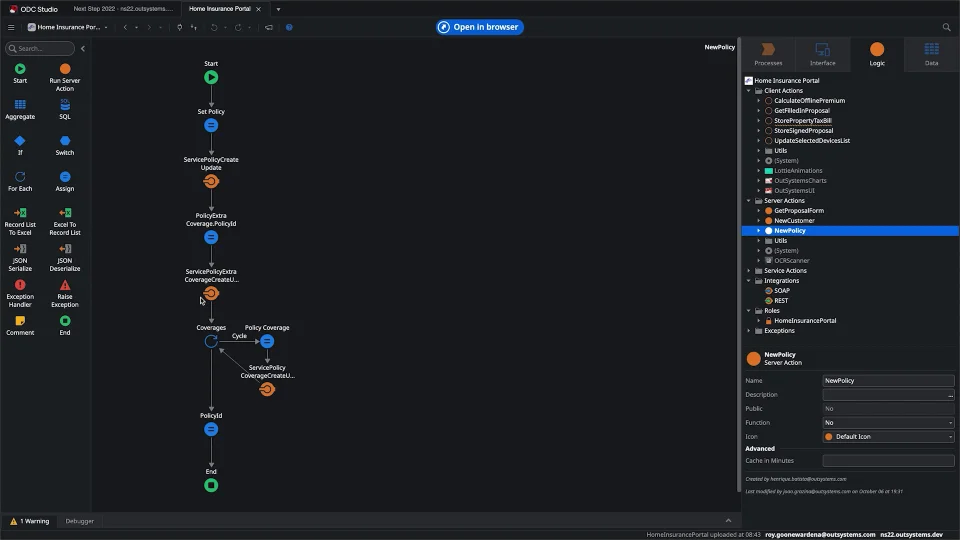
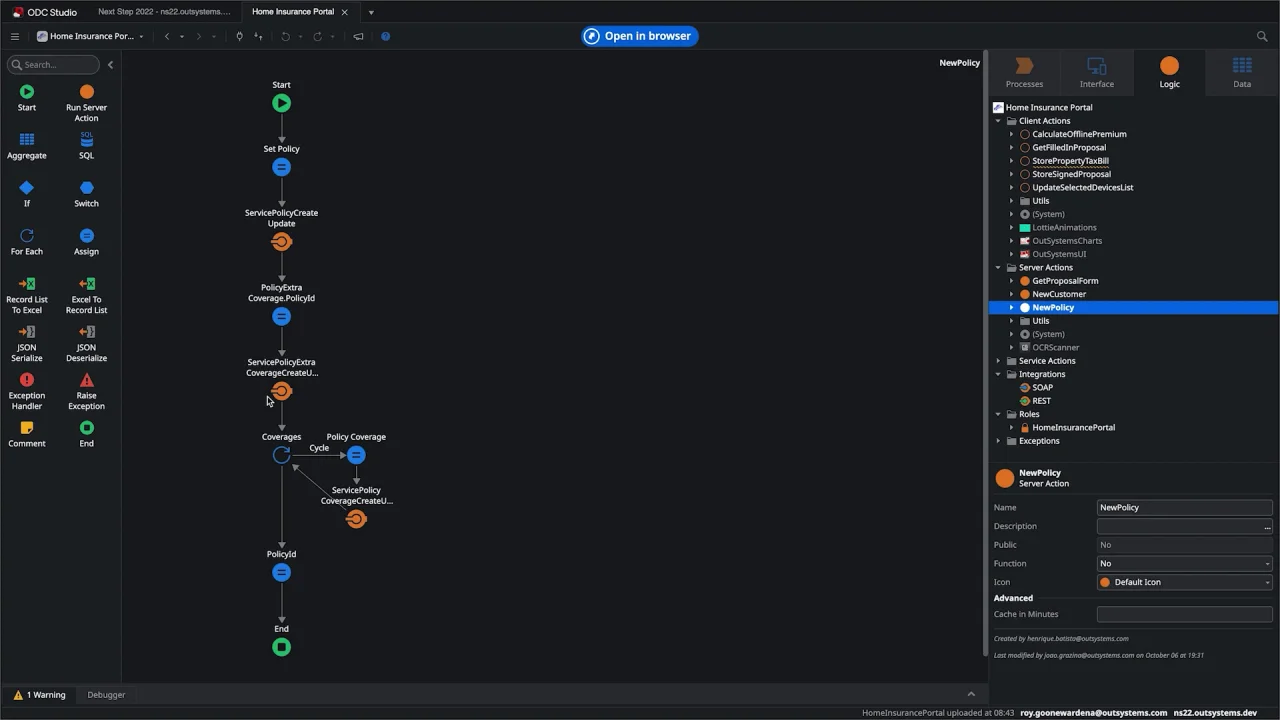
ODC dramatically reduces the complexity of building cloud-native applications with containers, Kubernetes clusters, serverless functions, and other modern technology.
ODC pre-packages the costly and time-consuming processes of architecting and configuring your cloud runtime and integrating necessary cloud services. As a result, developers can focus on implementing the application logic.
And you skip not only human and financial challenges of finding a myriad of cloud experts, because OutSystems does all the heavy-lifting.


Cloud application development frequently asked questions
A cloud application developer specializes in creating and managing software on cloud platforms. Their key role involves designing, building, integrating, and maintaining applications tailored to meet business needs in cloud environments. They must be proficient in developing efficient, high-performance applications for cloud computing environments like Amazon Web Services (AWS), Microsoft Azure, or Google Cloud.
Expertise in programming languages such as Java, Python, or Node.js is essential, along with a thorough knowledge of software development lif cycles, agile practices, and CI/CD processes. Cloud application developers also focus on testing, debugging, and optimizing cloud applications, working collaboratively with teams of project managers, software architects, and others.
Effective problem-solving and communication skills are critical for a cloud application developer. They must adapt to a dynamic work environment, ensuring that their cloud-based solutions are robust, scalable, and meet evolving business requirements.
There are various techniques for cloud application development that include:
- Microservices architecture: There are two approaches to this architecture. One approach involves developing independent services that can be integrated or combined into one or more applications. The other approach breaks an existing application into smaller, independent services that can be developed and deployed separately. A microservices architecture enables flexibility, scalability, and faster development cycles.
- DevOps practices: These practices, such as continuous integration, continuous delivery, and automated testing, can help increase agility, quality, and efficiency. The automation required for DevOps is more easily achieved in the cloud. In addition, teams can manage all their processes centrally in the cloud, which makes the process far more accessible.
- Serverless computing: Serverless enables developers to build and run code without managing servers, and without paying for idle cloud infrastructure. They can focus on developing without worrying about the underlying infrastructure. It also allows applications to be scaled automatically based on the demand, reducing costs and improving performance.
- Containerization: Containers provide a lightweight, portable, and isolated environment for running applications. They enable developers to package applications with their dependencies and run them consistently across different environments–including cloud.
- API-first design: This core cloud-native development principle involves designing the application's interfaces before the implementation. It enables better collaboration between teams, accelerates microservices, improves the application's usability and extensibility, and enables faster development cycles.
The more advanced low-code platforms offer you the freedom to deploy applications on-premises or in the cloud (public, hybrid, or private). Low-code can also support entire cloud journeys. According to a recent study by IDC, the higher the cloud maturity level, the higher the number of net-new apps created in low-code.
However, when considering cloud development, you need to consider a few more factors than just running apps on the cloud. And that’s where different low-code platforms provide different capabilities.
OutSystems, for example, enables developers to use, mesh, and orchestrate a variety of cloud services, ensuring they spend their sprint coding the experiences and not connecting and managing cloud services.