
How one team at HEINEKEN is scaling app development worldwide

The pressure to create differentiating software solutions is higher than ever. But coding them from scratch creates lengthy development cycles, puts immense pressure on scarce resources, and increases technical debt.
That's where low-code development comes in. You can use it to build applications faster and update or modify your apps more easily.
But what kind of applications are we talking about here? How big can low-code go in terms of building the mission-critical apps that run your business or engage with customers? In this article, I answer these and other common questions about what you can do with low-code.

Understanding low-code
Low-code provides high productivity with visual development, which minimizes the need for hand-coding. Instead of writing complex code line by line, developers can tap into the ease of drag-and-drop interfaces, pre-built templates, and reusable components. There are even low-code platforms that offer integrated lifecycle management and a hosting infrastructure to deploy and run your applications.
Also, low-code makes it easy to add traditional code (which anyone can use) to applications, leading to limitless possibilities. This significantly reduces the time and effort required to build and deploy software solutions, enabling businesses to innovate faster and with greater agility.
Basically, you can build all kinds of applications and software with low-code. Watch this video to get just a taste of what’s possible.
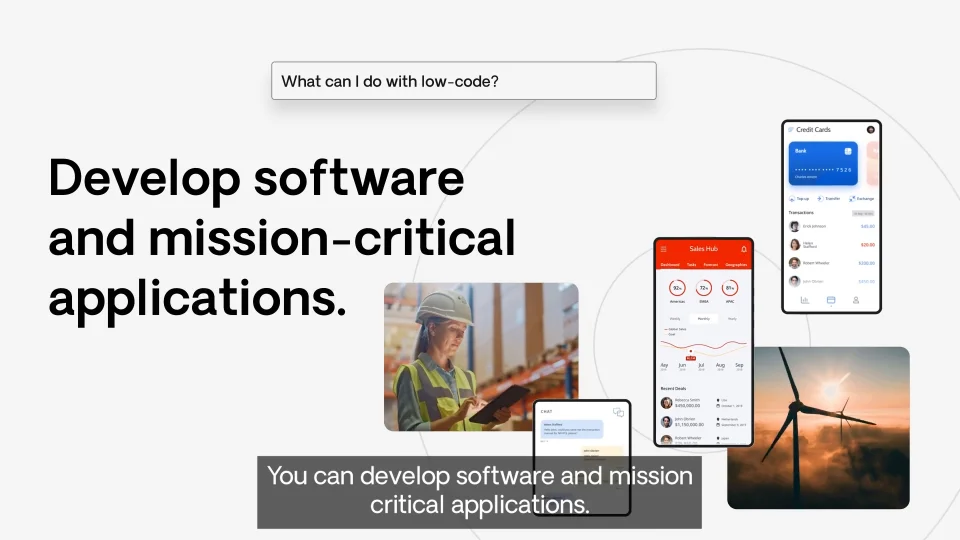
Now, let’s distill just what this means by answering some common questions about development with low-code.
4 common questions about low-code
There are four things that people usually want to know about low-code.
Question 1: Can low-code build complex enterprise apps?
Yes. Low-code platforms provide a range of capabilities that enable the development of robust and complex enterprise applications.
Scalability and performance
Low-code applications are built using cloud-native elements such as containers and microservices, so they can handle large volumes of data and users, ensuring that applications remain responsive and reliable even as demands increase.
Security and governance
Some low-code platforms incorporate robust security and governance features into the development of enterprise-grade apps to protect sensitive data and manage compliance with industry regulations. This includes role-based access control, data encryption, audit trails, and more.
Lifecycle management
Managing the entire lifecycle of enterprise-grade and customer-facing applications is no easy feat. But there are low-code platforms that are up to the task with capabilities for development, testing, deployment, and maintenance to streamline the lifecycle management process. These capabilities are automated, reducing the risk of errors, and accelerating the CI/CD cadence without increasing technical debt.
Question 2: Can it modernize legacy systems?
Yes. Low-code offers a cost-effective opportunity for modernizing existing systems. You can develop new, user-friendly applications that use legacy data and functionality to streamline processes, reduce manual tasks, and enable better data accessibility. Or, you can build entirely new systems that address your modern business needs.
Here’s how legacy modernization with low-code can work.
APIs and web services
Low-code platforms offer pre-built connectors or tools to connect with APIs and web services exposed by legacy systems. This allows for seamless data exchange and functionality sharing.
Data integration tools
You can use low-code to create tools that facilitate data extraction, transformation, and loading (ETL) between legacy systems and modern low-code applications. These tools help ensure data consistency and compatibility across different formats and structures.
Custom adapters
For complex integrations or systems without APIs, developers can create custom adapters using low-code tools. This provides flexibility and fine-tuning for specific integration needs.
Question 3: Can low-code automate workflows?
Yes. There are low-code platforms that excel at automating workflows to enhance efficiency and reduce siloed tasks across your organization. Here's a breakdown of how low-code does it.
Visual workflow design
Low-code platforms provide visual interfaces for designing workflows. You can easily drag and drop activities, define business rules and logic, and map out the entire process flow without writing complex code. You can even design workflows that span different applications and departments, eliminating data silos and ensuring smooth end-to-end processes.
Pre-built activities and templates
Low-code platforms offer libraries of pre-built activities and templates for common workflow patterns. You can easily customize and assemble these components to automate a wide range of processes—from simple approvals to complex multi-step workflows.
Monitoring and analytics
You can monitor and analyze workflow performance with low-code. Track key metrics, identify bottlenecks, and continuously optimize your automated processes to achieve maximum efficiency.
Question 4: Can it build generative AI apps?
Yes. Almost overnight, generative AI has become a must-have in modern applications, with use cases like customer service agents, content summaries for sales calls, and content generation for marketing, employee training, and more.
To make building generative AI apps as easy as traditional applications, some low-code platforms offer entirely new capabilities:
- Agent builders: Rapidly build GenAI agents into your apps to humanize digital interactions and deliver fast, contextually relevant responses and actions.
- Pre-built connectors and templates: A few low-code platforms provide a library of pre-built connectors to common generative AI services from Microsoft, Google, and Amazon that allow developers to quickly and easily integrate generative AI models into their applications.
- Data management and processing: There are low-code platforms that provide tools for managing and processing large volumes of data, which is essential for training and running generative AI models. This includes data cleansing, transformation, and loading capabilities.
Which low-code platform is best for these enterprise-grade use cases?
The answer is OutSystems. That’s because it provides the most robust and full-featured low-code around, including:
- Enterprise-grade governance features and an integrated software development lifecycle: OutSystems is built for the enterprise. Robust governance combined with built-in DevOps ensures that your applications meet the highest standards for quality and performance.
- Advanced capabilities: With OutSystems, you can build any kind of modern application—faster and more easily than ever before—including generative AI apps.
- Flexibility and scalability: OutSystems allows you to adapt and grow your applications easily as your business needs evolve so they support your long-term goals.
- Improved collaboration: OutSystems promotes collaboration between IT and business teams, ensuring that applications are aligned with business objectives and user needs. This leads to better outcomes and faster time-to-value.
- State-of-the-art infrastructure: OutSystems offers a cutting-edge architecture out of the box, which means components and best practices are pre-configured and ready to use, offering resiliency during heavy loads.
Explore all the low-code capabilities of the OutSystems platform.
Because of its capabilities, OutSystems has been used to create an array of impressive applications that solve real-world business challenges. Here are just a few examples.
What are customers building with OutSystems?
OutSystems is enabling Western Union to deliver feature-rich, secure, and user-friendly mobile banking experiences. These apps provide customers with convenient access to their accounts, seamless transactions, and personalized financial services.
Schneider Electric built engaging customer portals with OutSystems that offer self-service options, personalized support, and a seamless user experience. These portals enhance customer satisfaction, reduce support costs, and foster stronger customer relationships.
Snowboard retailer Burton has optimized its supply chain operations with custom-built OutSystems applications. The result? Real-time visibility into inventory, streamlined logistics, and improved collaboration across the supply chain lead to cost savings and increased efficiency.
So, can low-code really do that?
If by “that” you mean modern, robust, enterprise-grade, mission-critical applications–and if by “low-code” you mean OutSystems—the answer is yet another resounding “Yes!”.
Discover what low-code can do for your business with OutSystems.


