
OutSystems for Pro Developers: Enhance Your Skills with Low-Code

If your boss has asked you to evaluate OutSystems (or maybe has just thrown it at you), you probably have tons of questions about the platform. You’re not alone.
A few months ago, I had the chance to join an Ask Me Anything session with Bosch’s developers. Like us at HEINEKEN, Bosch is a heavy user of the OutSystems platform and is looking to expand its talent pool. (You can learn more about how we at HEINEKEN are using OutSystems to support our global federated development model in our case study and additional information about Bosch’s journey in its blog.)
Hearing those developers brought me back to when I was first introduced to OutSystems. It got me thinking about how there are probably many developers out there in the same situation, asking these exact same questions, and how useful it would be to have access to these insights.
Therefore, in this blog post, I compiled the top 9 questions developers have about OutSystems, based on my session with Bosch, and their answers (of course).

Table of contents:
- About me
- What are the limitations of OutSystems when compared to other development technologies?
- How easy is the deployment process with OutSystems?
- What happens when users push an app to production, and it has a dependency on a component they don't have access to?
- Can you integrate OutSystems with other technologies, like SAP?
- What common enterprise data sources does OutSystems support?
- Are there any tools and advisors to help evaluate if an app follows the market's best practices?
- Can you share an example of an app built with OutSystems?
- How is OutSystems different from other low-code platforms?
- Can you have a development career using OutSystems?
- Final advice
About me
Before we dive in, I’d like to share a bit about myself. I’ve been working at HEINEKEN for the past three years as an OutSystems Tech Lead. In our federated development model, I’m part of the central team—you can view us as the gatekeepers of the OutSystems platform. We provide the tools, set the guidelines, and develop new features so the decentralized teams can build solutions securely and efficiently.
Before that, I was a .NET developer, so you can imagine I was a bit skeptical about the concept of low-code development. But honestly, as soon as I started working with OutSystems and realized how fast I could develop working applications, my opinion changed. I can assure you that low code takes the majority of the complexities off developers’ shoulders, enabling them to focus on the business use case even better.
Now, let’s get into what brought you here.
1. What are the limitations of OutSystems when compared to other development technologies?
This is probably the #1 question developers have asked not just about OutSystems but about low-code in general. The first thing to understand is that OutSystems is a different approach to developing applications. It’s not like asking the developers to code thousands of server side logical lines in the backend and HTML5 and JavaScript libraries for the front end. With OutSystems, you’re working with visual objects to create applications. Behind the scenes, this creates highly optimized programmable code for both backend and frontend.
But for development, please don’t think you’re stuck with just what the platform offers in Service Studio (the OutSystems IDE). You also have access to the Forge, a huge (and free) marketplace where you can find all kinds of pre-built, reusable components, connectors, and business solutions that you can drop into your apps. If you’re familiar with .NET, think of it like NuGet packages.
And if this is not enough, you can still integrate OutSystems with other technologies and add your own custom code . For example, you can run Lambda actions, consume a REST API service from Boomi, and create and run functional programming languages, such as C#. As for the frontend, in addition to what OutSystems offers, you can create your own customized JavaScript scripts or build your own CSS themes and templates.
At the end of the day, you can pretty much build anything you’d create with other technologies, just much faster.
2. How easy is the deployment process with OutSystems?
Using OutSystems, you can deploy your apps on-premises, on the cloud (either OutSystems Cloud, which runs on AWS, or your preferred cloud platform), on the OutSystems cloud-native infrastructure, ODC, or as a hybrid setup.
The deployment process is very seamless. You have one-click publish, which is similar to the Build Solution button in Microsoft Visual Studio. The moment you click it, it has a direct integration with CI/CD, and it compiles the logic and pushes the app into the platform server.
You also have a tool called Lifetime, which is a centralized console for managing your app development, quality, acceptance, and production environments. With a click of a button, you select the app and version you want to deploy, pushing the app from one environment to the next. When you publish an app, it also deploys all the dependent components.
3. What happens when users push an app to production, and it has a dependency on a component they don't have access to?
You can create specified teams and roles and attribute a set of apps to each of them. So, if a person has permission to reuse a component but not change it or deploy it, if they try to do so, the system will validate their permissions and not allow it. It also shares that information with the user.
You can always revisit and change user permissions.
4. Can you integrate OutSystems with other technologies, like SAP?
The short answer is yes. You even have connectors in the Forge to help you integrate with specific technologies. For example, there is an SAP connector. You can use it to create connections to SAP using the Remote Function Call. If you need to connect with technologies using other types of integrations, you can easily use REST APIs and SOAP.
A very nice tool called Integration Builder allows you to connect with external data sources, like Salesforce, Dataverse, Dynamics, SAP OData, and SharePoint, very easily. You just have to configure it, and it’s ready to use.
5. What common enterprise data sources does OutSystems support?
You can easily connect OutSystems apps to any external database, whether it’s relational databases, like SQL and Oracle, custom external databases, cloud services and storage, file-based data sources, like Excel, CSV or XML, or ERPs and CRM systems—you choose it. At HEINEKEN, for example, we successfully integrated different low-code tech stacks like OutSystems and Microsoft Power Platform. In this case, Azure Dataverse acts as the data source and we used OutSystems Integration builder to establish connection with the Dataverse repository. With just a few clicks that include selecting the table and columns, Integration Builder quickly generates the necessary libraries with the interface to perform CRUD operations on Dataverse entities.
I’d also like to add that recently, OutSystems released a new product called Data Fabric, which provides a virtual data layer that makes it easier to add data-based functionalities to our apps.
Essentially, it creates a single layer that pulls data from several sources—external databases, legacy systems of record, and SaaS applications—that we can mix and match to use in multiple apps. This centralizes and simplifies data management while accelerating app performance and eliminating the complexity of manually mapping data.
6. Are there any tools and advisors to help evaluate if an app follows the market's best practices?
There’s a really cool tool called Mentor that gives you a centralized view of all the apps you’re working on. This tool scans your apps for performance, security, architecture, and maintainability, flagging any potential risks so you can improve the overall performance and manage technical debt.
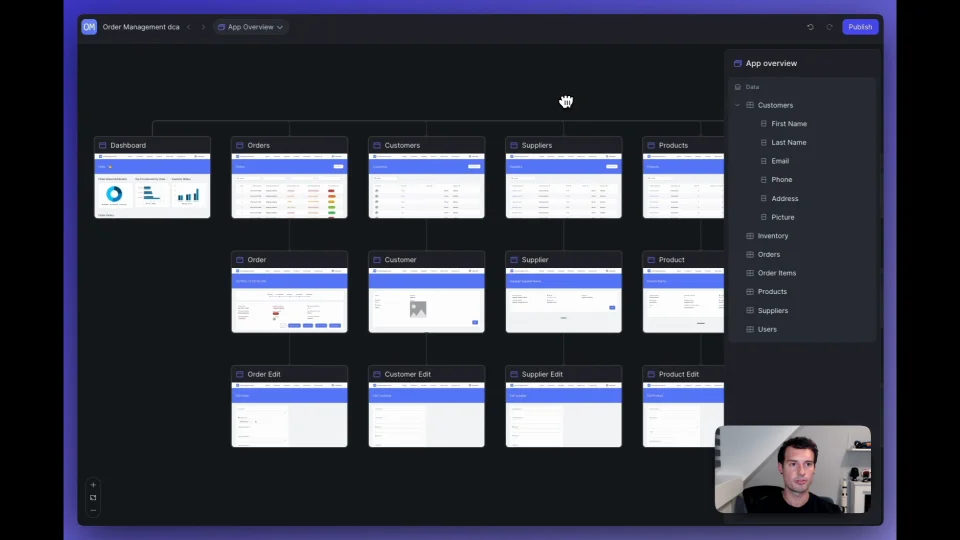
From there, you can dive into specific server actions in Service Studio to make the necessary fixes. Plus, while you’re developing, Mentor uses machine learning to give you real-time suggestions, ensuring you’re building apps right from the start.
7. Can you share an example of an app built with OutSystems?
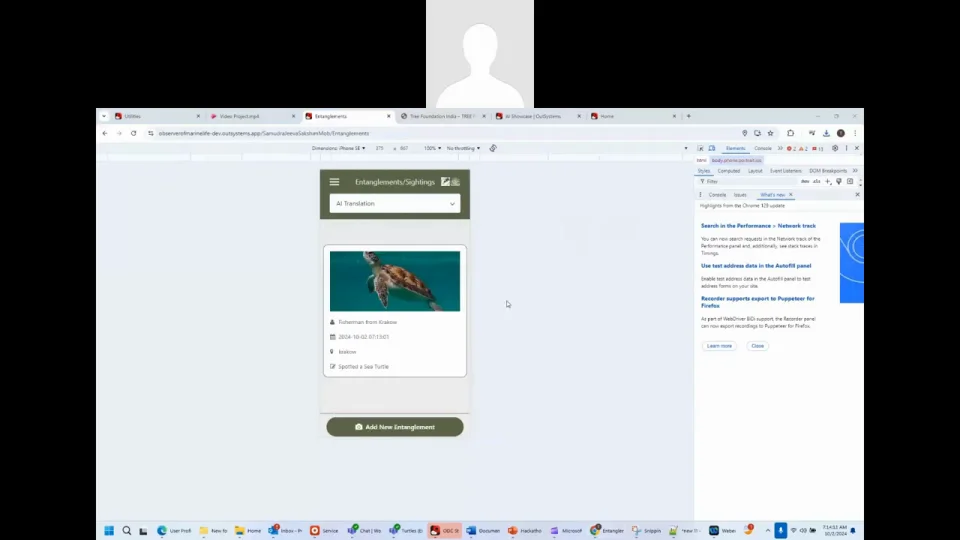
I’d like to share an app that wasn’t built for HEINEKEN, but it really highlights the potential of OutSystems. Our team created it as part of the OutSystems Digital Volunteers Program to help the TREE Foundation protect endangered marine species.
Instead of just telling you about it, I invite you to check out our TREE Foundation video and see for yourself.
8. How is OutSystems different from other low-code platforms?
At HEINEKEN, we work with several low-code platforms. OutSystems is one of them, but we also use Microsoft Power Apps, for example. We always choose the platform that best fits what we’re trying to achieve.
OutSystems stands out for its flexibility—as I mentioned, it’s very robust when it comes to integrations, and we can add custom code when needed. Then, it has the Forge, the largest marketplace across all our low-code platforms. This helps us move incredibly fast.
OutSystems is also particularly strong when it comes to UX/UI. So when we’re building an app store-like solution with top-notch user experience, OutSystems is our go-to.
9. Can you have a development career using OutSystems?
Yes, you can–and it can unlock career growth. From my own experience, OutSystems gave me a great career boost. I was a .NET developer developing traditional apps, but now I can also develop modern reactive web apps, mobile apps, or PWAs.
The OutSystems Community is also very supportive and has helped me grow. Whenever I have a question, I just use the Community Forum and always find the answer without a single Google search.
Plus, as the demand for digitalization increases and more companies embrace low-code, the job market is heating up.
Final advice
I’m sure I could add a million other questions here, but I hope these nine have given you a clearer idea of what it’s like to develop with OutSystems.
As a final tip, if you’re just starting out or exploring the platform, check out the learning section on the OutSystems website. There’s a lot of free training available that will help you get a solid understanding of the basics. From there, you can take your development in any direction—whether it’s building mobile apps, web apps, or creating processes.
You can also test it for free by signing up for a Personal Environment and starting to build your apps right away.
In the meantime, if you have more questions, feel free to drop me a message on LinkedIn.


