
1. Data management for business applications
The core of a business application is its data. Most data related operations, such as modeling, deploying changes, optimizing via indexes, querying/updating data and testing your queries,are provided by OutSystems in its visual modeling environment. Integration with external systems of data is also possible out-of-the-box. As part of our no limits proposition, OutSystems offers extensibility on the data side, empowering you to craft intricate SQL statements and build custom integrations with external systems using your own code.
OutSystems safeguards customers from changes that could impact the health of their instance. To ensure stability, we restrict alterations to internal tables, views, and database object structures. Customers are also prevented from creating direct database logic in the cloud. Additionally, OutSystems shields against changes that may affect application runtime. Using advanced impact analysis capabilities, OutSystems assesses the consequences of data model or integration modifications, ensuring the integrity of your applications despite changes in the data model.
Table of contents
Handling heavy batch processing
OutSystems supports the execution of batch jobs. The OutSystems Server includes an asynchronous engine, the Scheduler Service, that manages the execution of logic that doesn’t need to be attached to manual operations. Batch jobs can be triggered based on events or scheduled timers that can be configured or calculated. Jobs are distributed across all front-end servers. The load distribution is controlled by the Scheduler Service.
Batch jobs are developed in the OutSystems IDE and there are three types of design patterns that can be used. Depending on the logic that needs to be implemented, follow one of these approaches:
With timers, a developer can define business logic that normally executes at a specific time, or it can be triggered based on a business need (for example, sending marketing campaigns asynchronously after an approval task is completed by a manager). Think of it as a collection of code patterns that are processed in sequence and do not need user input or intervention, such as fetching data from external data sources, like flat files or REST APIs, and performing some data mashup. Timers are best suited for:
- Execution of background and routine tasks at a specific time
- Execution of business processes that require long processing times
- Processes where no user interaction is required
- Offloading heavy processing
- Processing large chunks of information
- Executing bootstrap logic after publishing an application

OutSystems can be used to model long-running processes or events. For example, running invoices for all customers for a specific period could take several minutes. A process can be seen as a flow of activities that need to be accomplished over time. Each activity, for each process instance, is tracked in the database.
Among other code patterns associated with OutSystems Business Process Technology (BPT) is an automatic activity that allows business logic to run asynchronously with traceability built-in. Examples include start date, end date, duration, number of retries, and so on. The activity inherits all of the context of the process flow it is running in, and other sources of data can extend its scope. OutSystems processes are best suited for:
- Defining and executing business processes in OutSystems applications
- Executing system-to-system and human-to-system interactions and workflows
- Defining operational workflow for users or systems
- Processing work in the background through automatic activities
- Conducting multiple activities per process
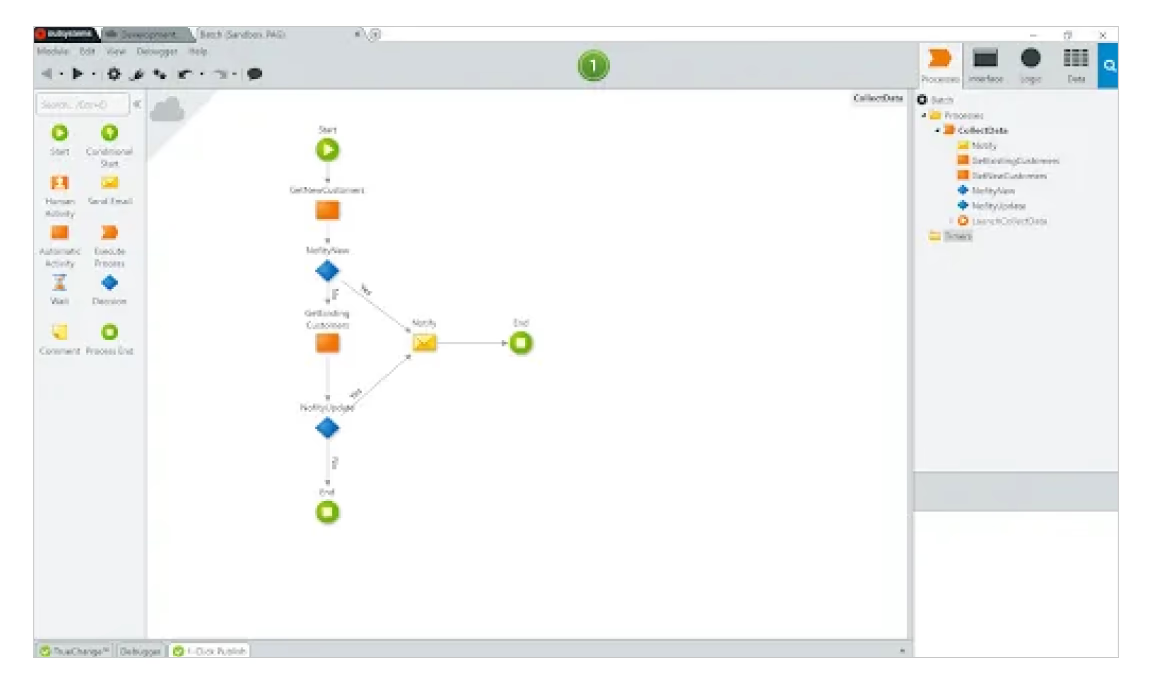
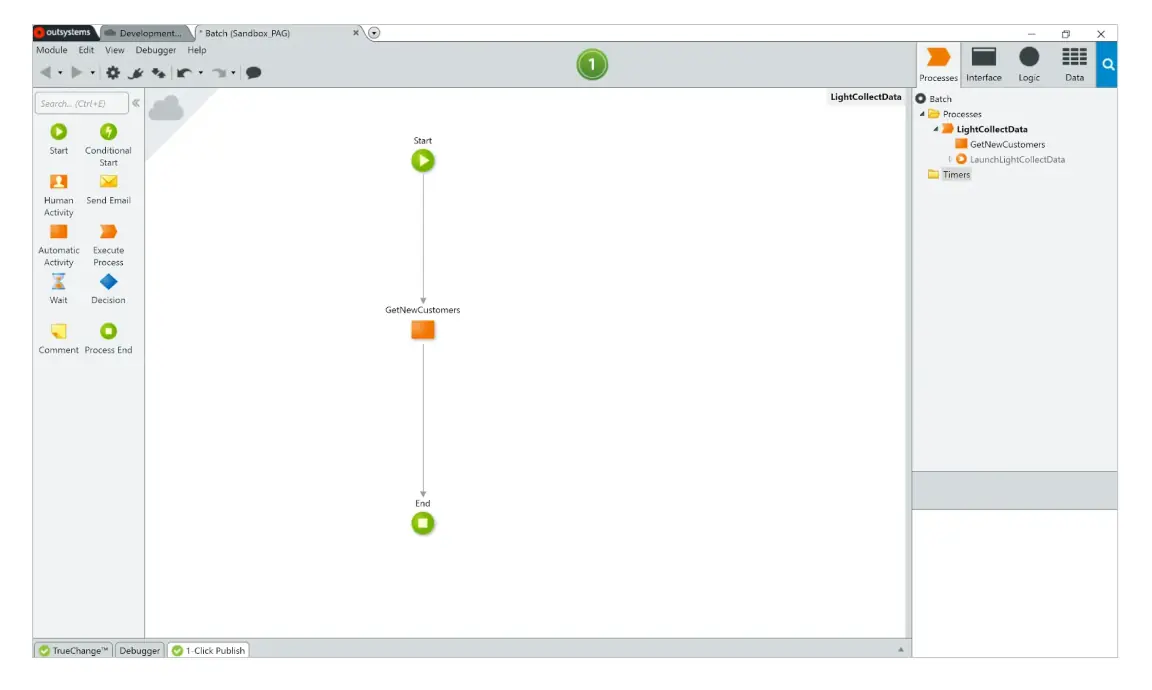
OutSystems also enables simpler process execution when database tracking is not a requirement. This lighter execution mode is useful for large-scale, event-driven processes that can handle millions of events per day. An example, based on an external API call, is validating the incoming data and storing it without keeping the API call open. Light processes are also well suited for tracking events that are fast to process, as well as parallel processing.
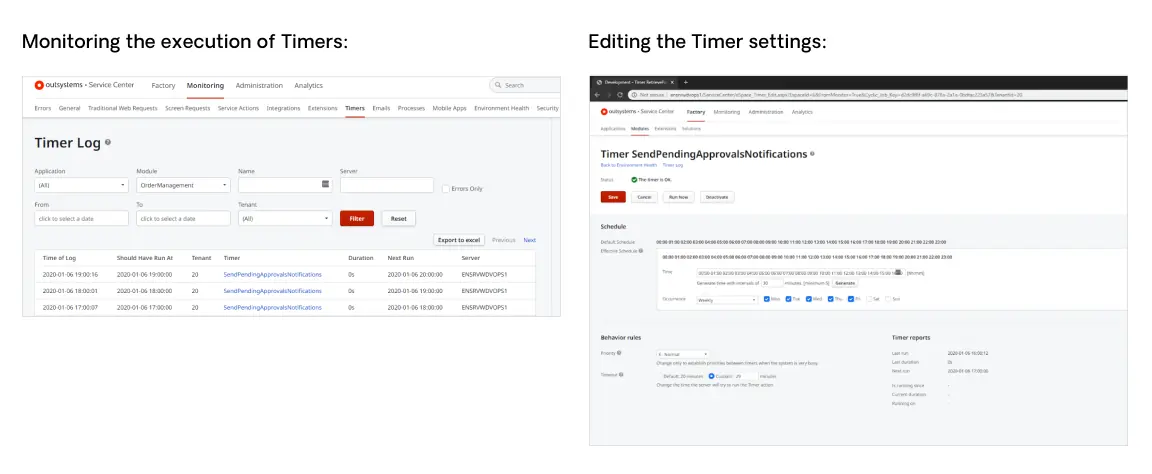
The OutSystems management console allows users to manage batch jobs as follows:
- Monitor batch job execution.
- Adjust settings such as the schedule and priority.
- Deactivate or activate a batch job or force the job to execute.
- Browse the logs of previous jobs.
Data storage
OutSystems enables organizations to scale the storage resources of their databases as they grow, which eliminates huge upfront investments and the need to plan costly database migrations. Additional database storage capacity is added as needed, while maintaining database availability and with no impact to your running applications.
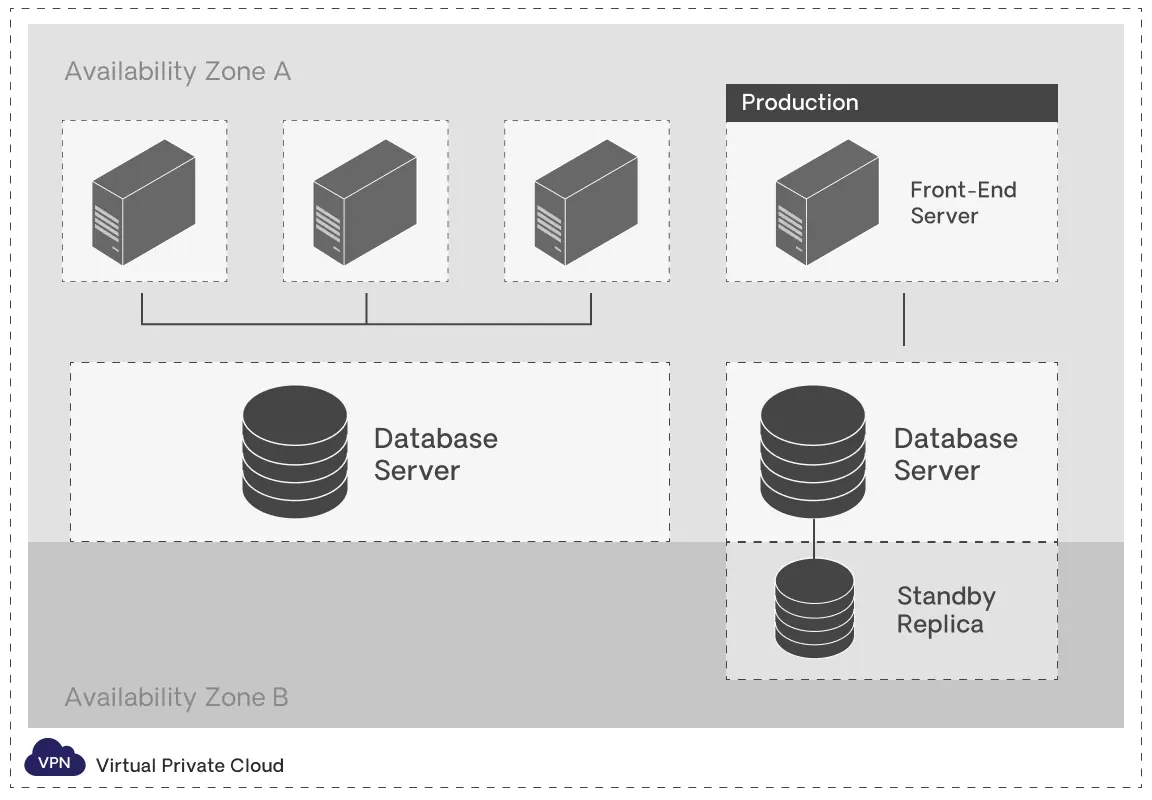
OutSystems also offers a high availability configuration for production databases in select editions, whereby the production database instance has a “standby” replica in a different availability zone. Database updates are made concurrently on the primary and standby databases to prevent replication lag. Should there be a database instance failure, planned database maintenance, or an availability zone failure, OutSystems will automatically failover to the up-to-date standby. This action enables database operations to resume quickly without administrative intervention. (Prior to failover, it is not possible to directly access the standby database nor can it be used to serve read traffic.)
Data caching
Data caching boosts app performance by temporarily storing retrieved or computed data in fast memory, allowing quick loading for subsequent requests. It is based on a least recently used algorithm and is specific to each tenant in multitenant apps. In OutSystems, its core functioning principles are as follows:
- Cache working mechanism: The cache stores and returns content for subsequent uses, skipping reevaluation. Content is updated when the time elapsed exceeds the caching duration, input parameters change, or there's explicit cache invalidation.
- Caching in web blocks of traditional apps: The cache content refreshes only when the entire web block is reevaluated. Cached elements cannot have certain types of input parameters, such as Record, List, and Binary Data.
- Dependency impact on cache behavior: The behavior of the cache depends on whether the producer module is a strong or weak dependency. If it’s strong, the cached value is specific to each consumer module. If it’s weak, a single cached value instance in memory serves all requests.
OutSystems enhances application performance through local data caching, minimizing server calls. To optimize and streamline this process, OutSystems offers out-of-the-box data synchronization patterns.