OutSystems Developer Cloud ODC Low Code Platform
You might have heard the announcement that we’re unifying OutSystems 11 (O11) and OutSystems Developer Cloud (ODC) and that every developer can get their own ODC personal edition with a simple sign-up on our website.
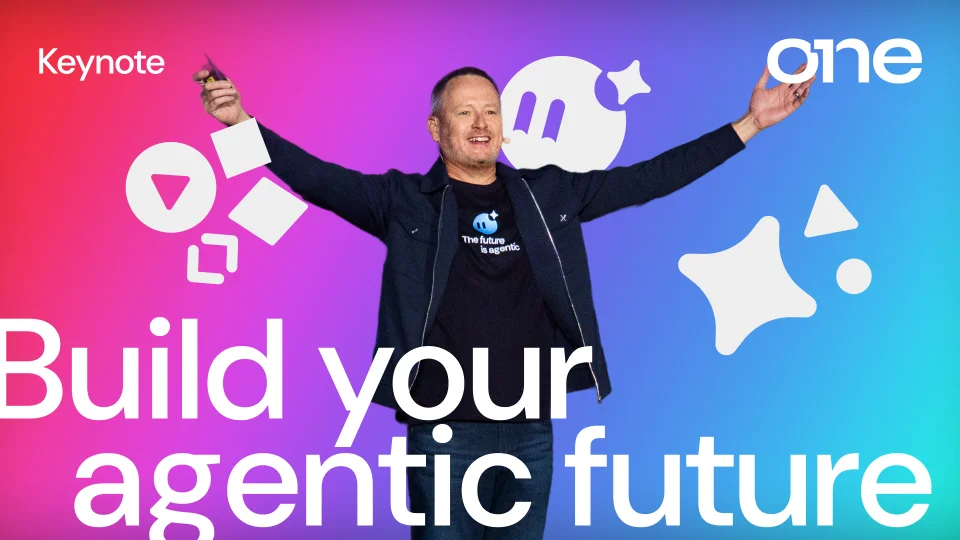
That’s right. When it comes to developing with AI-powered low-code, you no longer have to choose. And that means everyone can build AI apps and agents. And best of all? You no longer have to worry about an O11 to ODC migration. You can learn all about it in Woodson Martin’s keynote from ONE 2025.

For those of you who have stuck by O11 faithfully because it’s met needs ranging from familiarity to adhering to government regulations that require on-premises development, you can keep using the platform you love while trying your hand at cloud-native app dev. But what will it be like? How different is it? And what can you do with it? What does a world where ODC vs O11 is no longer a thing look like?
As someone who cut her low-code development teeth on pre-ODC OutSystems, I thought I’d share my own experience with OutSystems Developer Cloud (ODC). The goal of this article is to briefly review OutSystems 11 vs ODC for possibly the very last time and then share five things you should know about ODC.
O11 vs ODC: One last time
Here's the reality about OutSystems O11 vs ODC: they are both excellent application development platforms.
OutSystems O11
O11 is known for supporting the development of enterprise-scale applications that need legacy system modernization or integration, hybrid deployment options, and extensive customization capabilities. If you're running mission-critical apps that integrate with SAP, Oracle, or custom backends, or if regulatory requirements demand on-premises hosting, O11 delivers the flexibility and control you need.
OutSystems Developer Cloud
ODC is built from the ground up as a cloud-native platform optimized for speed and modern development practices. ODC eliminates infrastructure headaches through its fully managed SaaS model, delivers faster time-to-market through simplified development environments, and scales automatically through Kubernetes and microservices architecture. The platform shines when you need to build modern, cloud-first applications that can scale horizontally and integrate seamlessly with AWS, Azure, or Google Cloud services.
The key O11 vs ODC difference
O11 gives you maximum flexibility and control at the cost of complexity, while ODC prioritizes speed and simplicity by making more decisions for you. O11 developers work with familiar modules and can customize extensively, but they also manage more moving parts. ODC developers work at the application level with fewer abstractions, which reduces wrapper code and speeds development, but they adapt to a more opinionated, cloud-native approach. Both platforms deliver enterprise-grade security and scalability, just through different methods that suit different organizational needs and development preferences.
Here’s a table that breaks down the OutSystems ODC vs O11 differences.
| Category | OutSystems Developer Cloud (ODC) | OutSystems 11 (O11) |
|---|---|---|
|
Platform foundation and scalability |
Cloud-native, Kubernetes-based architecture with microservices support. Auto-scaling and self-healing capabilities. Optimized for rapid scaling and cloud-native performance. |
Traditional infrastructure with hybrid deployment options (on-premises, cloud, or hybrid). Manual scaling with more infrastructure management requirements. |
|
Deployment and DevOps |
Fully cloud-based, managed by OutSystems (SaaS model). Strong built-in automation for DevOps, CI/CD pipelines with cloud-native integration. AI development with Agent Workbench and Mentor. |
Flexible deployment across environments but requires infrastructure management. CI/CD processes need more manual configuration and setup. |
|
Developer experience and application types |
Streamlined, cloud-focused development environment. Easier for building cloud-native, containerized applications and microservices-based apps. Application-level development approach. |
Full-stack, comprehensive development with module-based architecture. Steeper learning curve but more powerful for complex enterprise applications. Better for monolithic and enterprise-scale applications. |
|
Integration capabilities |
Strong integration with modern cloud data services (Azure, AWS, GCP) and cloud-based AI/ML services. Better for microservices integration using APIs and Node.js. Growing ecosystem focused on cloud and microservices. |
Excellent support for traditional enterprise systems (SAP, Oracle, SQL Server). Supports more traditional languages like C#, .NET, and SQL. Larger, mature ecosystem with extensive templates and plugins. |
|
Security and enterprise readiness |
Cloud-native security with integrated compliance and modern cloud standards. Progressive web apps (PWAs) and cloud-driven mobile development. |
Traditional security model with customizable configurations. Robust mobile development with comprehensive native features. More options for custom security implementations. |
Now that we’ve gotten all the ODC vs O11 stuff out of the way, here are 5 things I think are important to know if you have OutSystems 11 experience and you want to try ODC.
1. Application architecture design: ODC vs O11
While this is not part of the development process, the decisions you make during the application architecture design will have an impact on the development experience. In OutSystems 11, we use the Disclose, Organize and Assemble process to design the architecture of an application. In ODC, the focus of this process shifts to understanding the organizational context of the application.
Disclose
Understand the stakeholder’s needs and the business owners/sponsors structure in the organization. This will come in handy for the organize step.
Organize
With the needs and organizational structure disclosed we now need to identify the bounded contexts. In the end we group the business concepts by bounded context.
Assemble
Finally we assemble our applications given the bounded context from the previous step and ensure team autonomy and clear ownership of the applications.
If you want to know more about this step, take a look at the Architecture Fundamentals in ODC Course - Training | OutSystems.
2. Where are my modules? Not a thing in ODC
If you’re an experienced OutSystems 11 developer, the lack of modules might mess with your head a bit. But, trust me, when you get used to it, you’ll see the development speed increase significantly. Why? Because we got used to arranging our code into pretty neat little boxes called modules: database here, business logic there, and UI over there. The downside of this is having to create code (actions and blocks) to wrap the application’s features in each of these boxes to be used by the other boxes. Hey, how many CRUD wrappers can we create, amirite? What about those blocks that use other blocks using other blocks?
When you get used to structuring code at the app level in ODC, you will see the amount of “unnecessary” code you’ve been creating in the past years. You now have everything in one place, the application.
3. Sharing data between apps and other patterns
If you are building just one app, this won’t matter. But let’s say that you are consuming a REST API or you have a web and mobile app. How do you share and change data that is consumed by both apps? And how do you consume a REST API now? What about themes?
In the O11 world, you create an App, which can be web, tablet, or mobile. But in ODC, you can build not only an App but also a Library. An App is what you are used to in OutSystems 11. A Library is where you create business-agnostic code to be reused by another application. Libraries are deployed together (meaning, same container) with the application that is consuming it. This Library is one reason why some developers chose ODC back when OutSystems 11 vs ODC was a thing.
Once again, we got you covered with one more ODC training course–architecture patterns in ODC.
4. Let me tell you a secret
How many times have you wished you could have a Site Property (now, also known as Setting) as an API Key that could be used by different applications with a different value? Or just have its value hidden like a password?
Well, let me tell you a secret… You can now!
It’s called a Secret Setting.
Check out how Secrets work: Set as secret - OutSystems Developer Cloud Documentation.
5. SQL Server is dead, long live Aurora PostgreSQL!
While this will not change your daily experience it might come in handy to know the underlying database technology in ODC. I’m sharing this in case you need to get jiggy with your data in development.
Here’s a helpful guide for your adventures: SQL queries in ODC vs OutSystems 11.
There’s a lot more to talk about ODC, but I wouldn’t ruin all the fun of experiencing it firsthand by telling you every little detail! And remember, you can now try ODC while still using O11. The lines drawn in the sand during the OutSystems ODC vs O11 standoff have washed away. And the O11 to ODC migration? A thing of the past.
In case you want to hone your skills, don’t forget to check out the ODC Training Courses.