Gain Clear Visibility and Control with the New Agents Console
When you only have a few agents, managing them one by one works. But as teams ship more agentic apps with Agent Workbench, it becomes hard to answer basic questions at scale: Which agents are using which models? What actions are they allowed to run? Where do we need to tighten governance or troubleshoot? That information was scattered across individual agentic applications, not available in one place.
To better support governance, management, and operational efficiency at scale, we saw a clear need for a new console that provides this portfolio-wide visibility, making it much simpler to manage a growing ecosystem of AI Agents.
Introducing the Agents Console
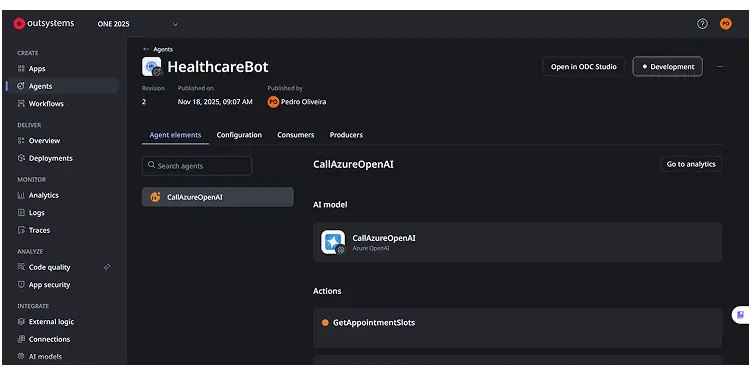
The new Agents Console is a centralized hub for your AI Agents. In a single view, you get a complete list of agents across your environments and can immediately inspect each agent’s core configuration, including the specific AI Model it utilizes and the complete list of Actions it is authorized to execute. This new view streamlines governance, simplifies debugging, and provides the essential oversight needed to confidently manage and scale your AI applications.